QR codes became part of daily life — menus, payments, parking, event tickets — and scammers followed the crowd. "Quishing" is phishing delivered through a QR code instead of a clickable link. The goal is the same as any phishing attack: get you to a fake website that steals your login, your card number, or your money. What makes quishing dangerous is that a black-and-white square gives you none of the clues you have learned to look for in a suspicious link.
Why a QR code is the perfect disguise
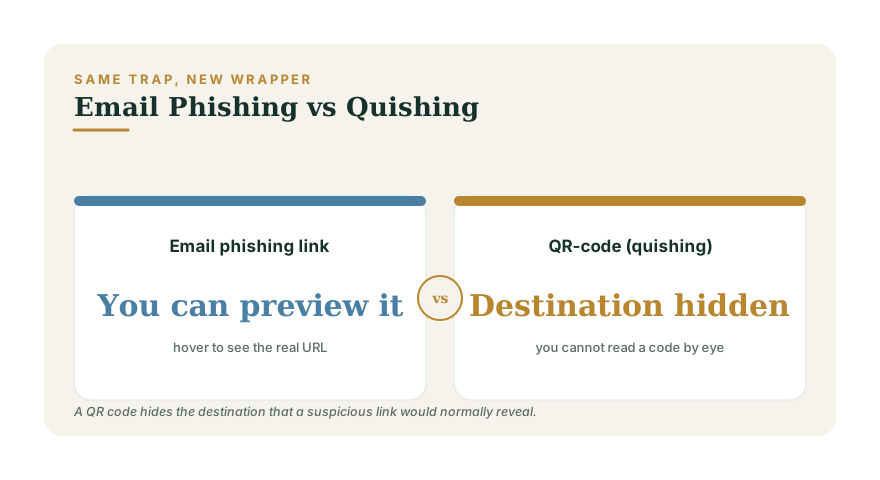
With a phishing email, a careful person can hover over a link and read the real web address before clicking. A QR code removes that check entirely — you physically cannot read a jumble of squares with your eyes, so you scan on faith and land wherever it sends you. Attackers exploit that trust. The FTC has warned that scammers place codes where you least expect to question them, and that once you land on their page the playbook is the classic phishing con: a login form that harvests your password, or a payment page that captures your card.
Where the malicious codes show up
- Parking meters and EV chargers. A fake sticker is pasted over the real code, sending you to a lookalike "payment" site that pockets your card details.
- Emails and PDFs. A message claiming your account needs verification shows a QR code instead of a link, partly to slip past spam filters that scan for bad URLs.
- Flyers, packages, and door hangers. "Scan to claim your delivery," "scan to win," or a fake utility notice threatening shutoff.
- Restaurant tables and posters. A counterfeit code taped over the legitimate menu or donation code.
The destination usually asks for exactly what a thief wants: account credentials, a card number, or an immediate payment. The account-takeover risk that follows a harvested password is covered in Phishing and Account-Takeover Defense.
How to scan safely
- Preview the URL before opening it. Most modern phone cameras show the web address as a preview when you scan. Read it. If it is a misspelled brand, a random string, or a shortened link you cannot verify, do not open it.
- Inspect the physical code. A sticker placed over another code, peeling edges, or a code on an unexpected surface are red flags. When in doubt, type the business's known web address by hand instead.
- Never enter a password or payment from a page you reached by scanning. Go to the official app or type the site yourself for anything involving money or login.
- Be suspicious of urgency. "Scan now to avoid a fine" or "verify within 24 hours" is pressure, and pressure is the oldest scam tool there is.
- Turn on two-factor authentication everywhere, so a stolen password alone cannot open your accounts.
What to do if you already scanned one
If you entered a password, change it immediately on the real site and anywhere you reused it, then enable two-factor authentication. If you entered card details, contact your card issuer to freeze or replace the card and watch for unauthorized charges. If you sent money through a payment app, act fast — your rights depend on the rail you used, which is the subject of Zelle and P2P Payment Fraud. Report the scam to the FTC at ReportFraud.ftc.gov so it can be tracked.
Scan like you click
Treat a QR code exactly as you would treat a link from a stranger: with polite suspicion. The same instincts that protect you from email phishing and the newer crypto cons in Pig-Butchering Crypto Scams apply here — verify the destination, never act under time pressure, and keep login and payment steps on channels you initiated yourself. Test how ready you are with the Financial Resilience assessment, and build the broader money defenses that make fraud less costly at the planning hub.